Review: Blackstar ID:Core BEAM

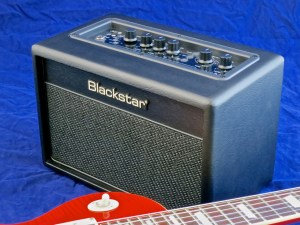
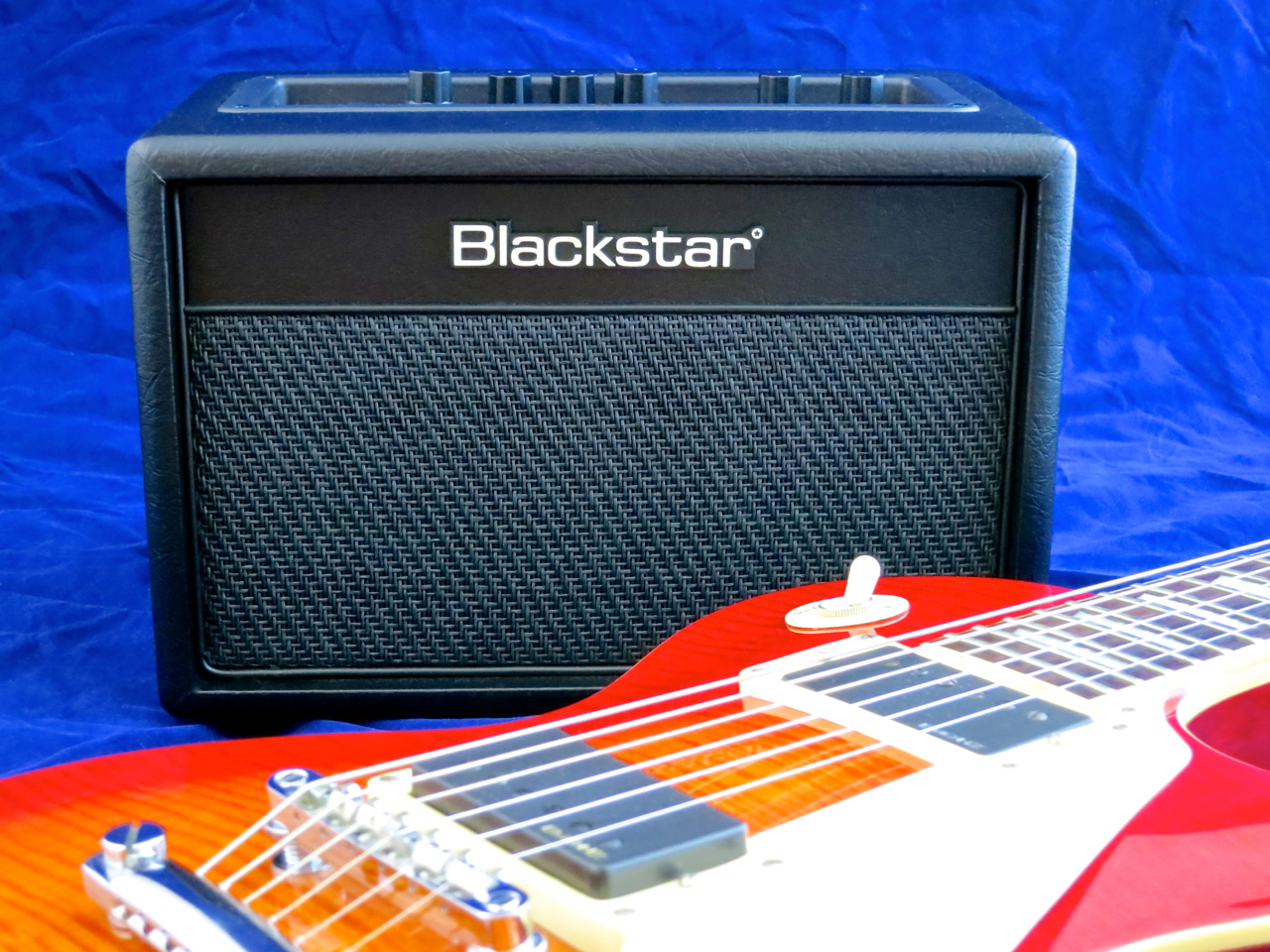
Blackstar ID_Core Beam – front

Blackstar’s ID:Core BEAM (current price in Finland: 299 €), which was introduced at this year’s NAMM Show, is one of a new breed of amplifiers:

The BEAM is a so-called ”lifestyle amp” that combines a practical solution for living room practising with a Bluetooth stereo system with a suitable Rock look.

****

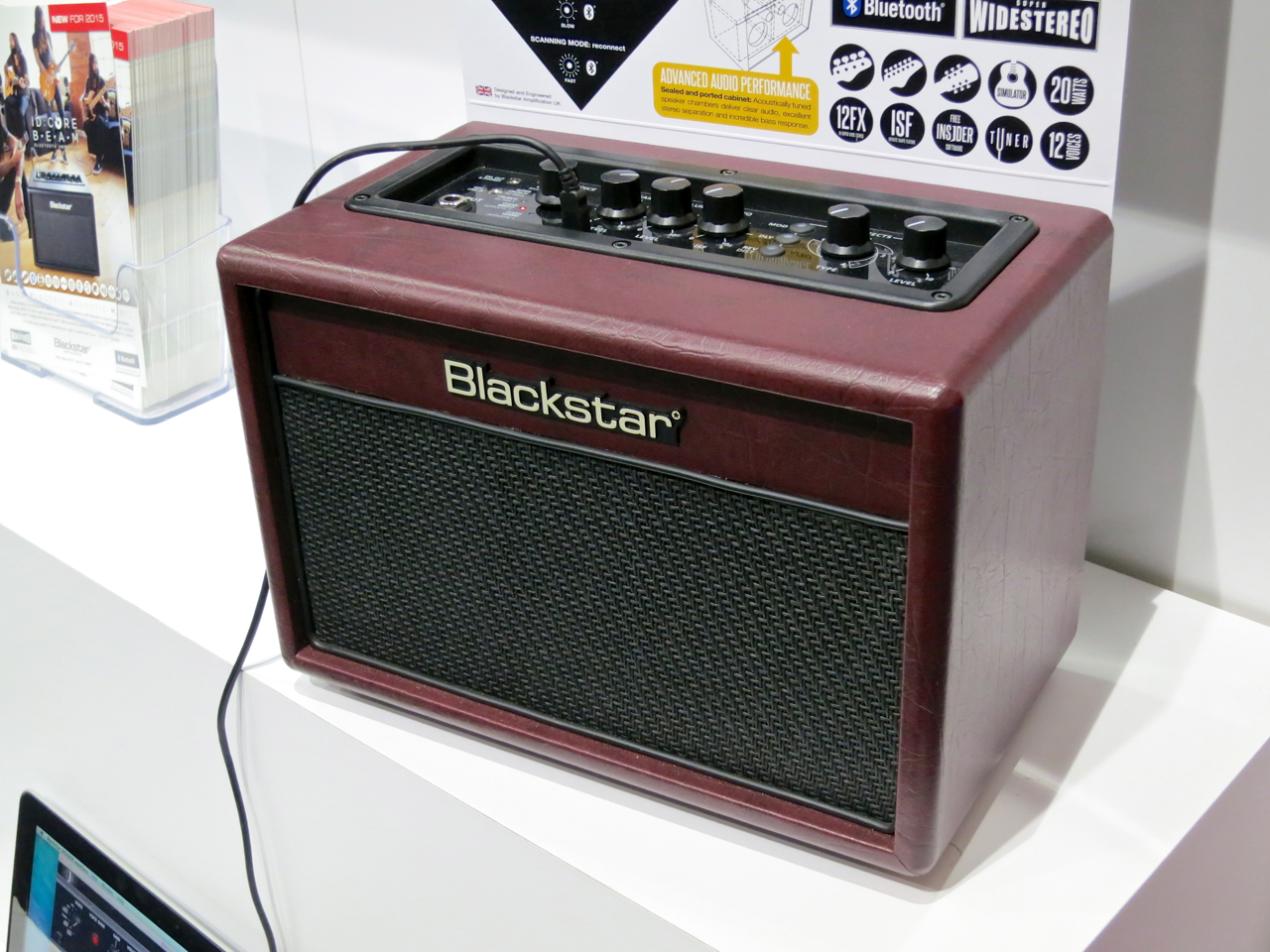
Blackstar ID_Core Beam – angle right

The Blackstar ID:Core BEAM is a genuine ID:Core-combo, which means that all its parameters are accessible via Blackstar’s Insider software.

The newcomer is a stereophonic amp with its 20 watts of power running into a pair of three-inch speakers. Blackstar’s Super Wide Stereo-effect – a feature taken from the company’s larger ID:Core combos – can also be applied to the BEAM’s music player, with its own, separate width adjustment.

Blackstar ID_Core Beam – back

Apart from the power switch, the ID:Core BEAM’s back panel features the input jack for the (optional) footswitch. The rest of the combo’s controls and connectors can be found on the top-mounted control panel.
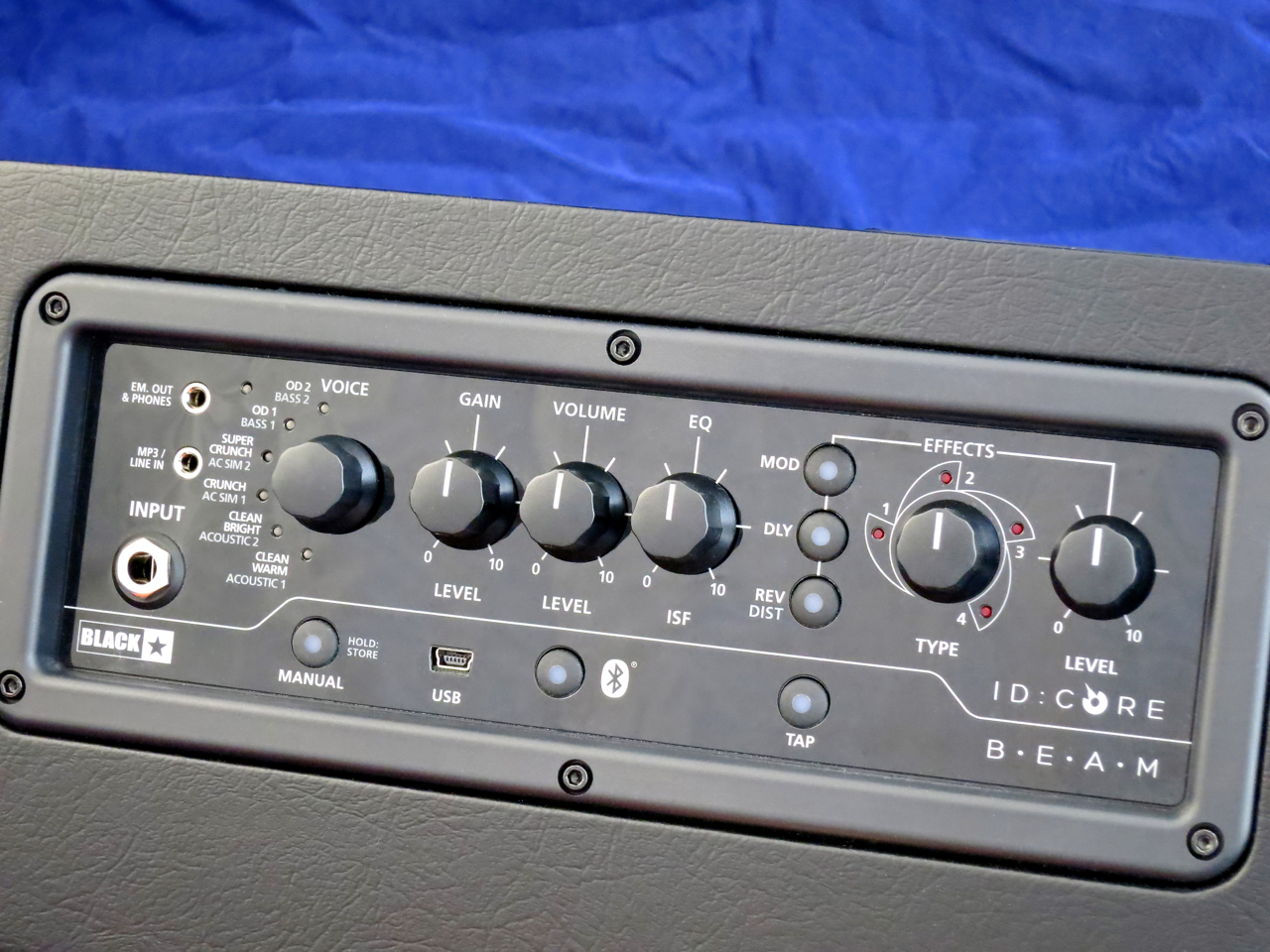
Blackstar ID_Core Beam – control panel

The larger ID:Core combos are well-equipped practice amps, but the BEAM has a couple of additional aces up its sleeve:

The ID:Core BEAM offers you 12 amp models (Voices). The first set (the Voices LED glows red) deals with six amp models for electric guitar, while the second set (green LED) gives you two Voices each for acoustic guitar, electric bass, and acoustic guitar simulation.

The amp section has three physical knobs for adjustment – gain, volume, and Blackstar’s patented ISF-control, which control’s the amp’s overall tonal character. Using the Insider-software you will be able to access additional parameters for deep editing, like a three-band EQ-section or a noise gate.

The effects department features four different modulation effects, four delay types, and four reverbs. The two Voices for bass swap the reverbs for bass distortion. You can choose one effect from each effect section for a Voice (meaning up to three simultaneous effects).

The small combo also features a built-in tuner.

The music signal, sent to the BEAM from your mobile device via Bluetooth, naturally isn’t sent through the combo’s amp modelling circuits. It is fed into the signal chain just before the power amp section. The ID:Core BEAM allows you to play along to the Bluetooth signal, of course!

The USB-port isn’t only used to remote control the amp’s parameters via Insider – this lifestyle combo doubles as a full-blown USB sound card. The BEAM can be run in three different USB-modes, which allows you to either send a stereo signal of the amp sound to your sequencer, or send two discrete mono signals (with one channel completely dry, and the second channel with all the amp modelling and effects) to your recording software. The third USB-mode is called Reamping, and it’s used to feed a dry guitar signal off your audio sequencer into the ID:Core BEAM and record the effected signal onto a separate recording track simultaneously.

The signal level of the USB-audio can be controlled directly (and independently of the amp’s master volume settings), making it very easy to set the correct recording levels for your personal studio setup.

****
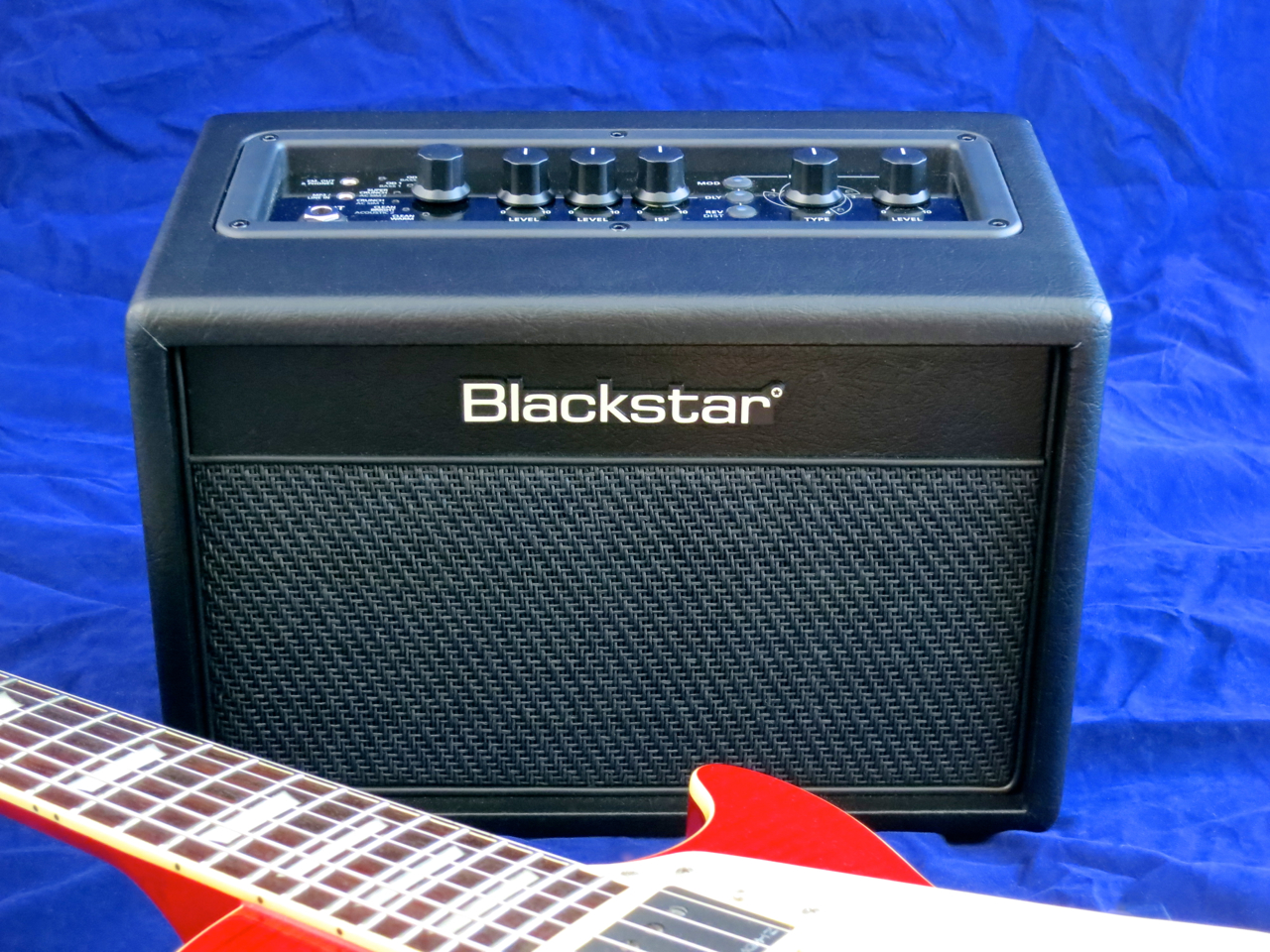
Blackstar ID_Core Beam – front angle

Blackstar have really hit the bull’s eye with their new lifestyle combo!

Listening to music with a very critical ear you can hear a little bit of hiss, but it isn’t loud enough to spoil the fun. Remember, the ID:Core BEAM isn’t meant to be a studio monitor, but rather a nifty, compact music player for your bookcase – something this little combo handles with much aplomb. You wouldn’t necessarily expect such a full and strong delivery from such a compact unit.

The ID:Core BEAM also sounds great as a guitar and bass amp, which isn’t quite as surprising, considering this combo’s pedigree.

The guitar amp voices have plenty of character, and the effects have more than ample depth and width:

The high quality of the acoustic simulator was something of a positive surprise:

Despite its diminutive size, the BEAM also delivers when it comes to electric bass tones:

****

Blackstar ID_Core Beam – angle left

The Blackstar ID:Core BEAM succeeds to combine a programmable practice combo for guitar and bass, a Bluetooth-player, and a USB sound card into a very enticing package. In addition to being a great living room amp, the BEAM could also prove a handy little amp for guitar instructors.

****

Blackstar ID:Core BEAM

299 €

Finnish distributor: Musamaailma

****

Pros:

+ well thought-out concept

+ value for money

+ feature-packed guitar and bass amp

+ adjustable Super Wide Stereo-function

+ USB sound card

+ full sound

Cons:

– high noise gate setting on default bass distortion

Testipenkissä: Blackstar ID:Core BEAM

Blackstar ID_Core Beam – front

Vuoden alussa NAMM-messuilla esitelty Blackstar ID:Core BEAM (299 €) kuuluu uuteen, nopeasti kasvavaan vahvistinkategoriaan:

Se on niin kutsuttu ”lifestyle amp”, joka on samalla sekä hyödyllinen pikkukombo harjoitteluun että kitaristin imagoon sopiva Bluetooth-vahvistin musiikin kuuntelua varten.

****

Blackstar ID_Core Beam – angle right

Blackstar ID:Core BEAM on aito ID:Core-kombo mikä tarkoittaa, että sen kaikkiin parametreihin pääsee käsiksi Blackstarin oman Insider-softan kautta.

Uutuuskombo on stereofoninen, ja sen 20 watin tehoa pusketaan ulos kahdesta kolmen tuuman kaiuttimista. Isoista ID:Coreista tuttu Super Wide Stereo -efekti toimii BEAM-kombossa myös musiikin kuuntelussa, ja sen vaikutusta voi säätää erikseen.

Blackstar ID_Core Beam – back

ID:Core BEAM:n takaseinästä löytyy sähköliittimen lisäksi jakki jalkakytkimelle (maksullinen lisävaruste). Kaikki muut liittimet on sijoitettu isolle etupaneelille.

Blackstar ID_Core Beam – control panel

BEAM:n isot sisarukset ovat jo todella hyvin varustettuja, mutta pikkukombo panee ominaisuutensa runsaudella vielä selvästi paremmaksi:

Vahvistinmallinnuksia löytyy tässä peräti 12 kappaletta. Ensimmäinen satsi (Voice-ledi palaa punaisena) on varattu kuudelle eri sähkökitarakanavalle, kun taas toisesta satsista (vihreä ledi) löytyy kaksi vahvistintyyppiä akustiselle kitaralle, kaksi akustisen kitaran mallinnusta, sekä kaksi ohjelmaa sähköbassolle.

Vahvistinosasto tarjoaa kolme fyysistä säädintä soundien muokkaamiseksi – gainin ja volumen lisäksi löytyy vielä Blackstarin patentoima, yleissoundiin vaikuttava ISF-toiminto. Insider-softalla pääsee säätämään sitten tarkemmin muitakin parametrejä, kuten EQ:t tai kohinaporttia.

Efektiosasto tarjoaa neljä modulaatioefektiä, neljä viivetyyppiä, sekä neljä eri kaikua. Bassovahvistimien kanssa on kaiun sijaan lisätty bassosärö. Jokaisesta efektityypistä voi valita yhden per vahvistinmalli, siis samanaikaisesti voidaan käyttää korkeintaan kolmea efektiä.

Pikkukombossa on myös kätevä sisäinen viritysmittari.

Bluetooth:n kautta vastaanotettu audiosignaali ei luonnollisesti kulje mallinnusosion läpi, vaan se lisätään ID:Core BEAM -kombon signaalitielle vasta kitaravahvistimen jälkeen. Bluetooth-musiikin kanssa voi tietysti soittaa mukaan!

USB-liitintä ei käytetä ainoastaan Insider-softan pyörittämiseen, vaan tämä lifestyle-kombo on myös täysverinen usb-äänikortti. BEAM:lla on kolme eri USB Audio -moodia – vahvistin pystyy lähettämään joko stereofonista kitarasignaalia efekteillä höystettynä sekvensserille tai kaksi monosignaalia, joista yksi on kuiva tulosignaali ja toinen koko mallinnuksen läpi käynyt monosignaali. Näiden kahden lisäksi on tarjolla vielä erittäin kätevä Reamping-tila, jossa sekvensseristä lähetetty prosessoimaton kitararaita viedään ID:Core-kombon läpi ja mallinnettu signaali äänitetään toiseen sekvensseriraitaan.

USB-signaalitasoa pystyy säätämään itsenäisesti ja riippumatta kombon masterista, minkä ansiosta usb:n kautta lähetetyn voimakkuuden saa aina omalle äänityssoftalle sopivaksi.

****

Blackstar ID_Core Beam – front angle

Kyllä, nyt täytyy sanoa, että Blackstarin uusi lifestyle-kombo on täysosuma!

Musiikin kuuntelussa on havaittavissa pikkusen kohinaa, mutta se ei nouse lainkaan häiritsevästi esiin. ID:Core BEAM ei ole tarkoitettukaan studiomonoriksi, vaan kirjahyllyn musiikkikeskukseksi, ja se asia on kombolla suveräänisti hallussa. Musiikki kuulostaa yllättävän täyteläiseltä, ja myös sitä volyymin määrää on tarjolla kiitettävän runsaasti.

Myös kitara- ja bassosoundien osilta Blackstar-uutuus ei jätä mielestäni toivomiseen varaa!

Kitarasoundit soivat erittäin hyvin, ja myös BEAM:n efektitarjonta on varsin maukas:

Akustisen kitaran mallintaminen onnistuu pikkukombolla yllättävän hyvin:

Vaikka tämä Blackstar-uutuus on hyvin kompakti tapaus, jopa BEAM-kombon bassosoundit kuulostavat mukavan meheviltä:

****

Blackstar ID_Core Beam – angle left

Blackstar ID:Core BEAM yhdistää erittäin onnistuneesti mallintavan harjoituskombon kitaralle (ja bassolle), usb-äänikortin, sekä tehokkaan Bluetooth-kaiuttimen. Ainakin omasta mielestäni tämä uutuuskombo sopii todella hyvin – olohuonekäytön ohella – myös opetusvahvistimeksi.

****

Blackstar ID:Core BEAM

299 €

Lisätiedot: Musamaailma

****

Plussat:

+ toimiva konsepti

+ hinta-laatu-suhde

+ hyvin varusteltu, ohjelmoitava kitara- ja basso-osasto

+ säädettävä Super Wide Stereo -toiminto

+ USB-äänikortti

+ täyteläinen soundi

Miinukset:

– voimakas kohinaportti bassosärön tehdasasetuksissa

Seymour Duncan SA-1 Acoustic Tube in action!

Seymour Duncan SA-1 + Tanglewood TW28-CSN

Ostin itselleni hiljattain Seymour Duncanin SA-1 Acoustic Tube -mikrofonin, koska etsin helppoa mikkiratkaisua akustisia keikkoja varten. Huomasin, että netistä löytyy melko vähän tietoa tästä magneettisesta mikrofonista, siksi tämä tietoisku:

SA-1 on humbuckermikki kahdella päällekkäisillä keloilla (ns. stack-rakenne), jolla on sisäänrakennettu volume-säädin.

Pidän siitä, että Acoustic Tube -mikrofonilla on vain lyhyt johto, joka loppuu laadukkaan jakkiin. Jakkia voi kiinnittää esimerkiksi kitarahihnaan, ja sitten voi käyttää tavallista kitarajohtoa SA-1:stä DI-boksiin, mikseriin tai akustiseen vahvistimeen.

Parasta tässä mikrofonissa on kuitenkin sen soundi, joka on yllättävän luonnollinen, kun ottaa huomioon, että kyseessä on suhteellisen edullinen, pelkästään magneettisesti toimiva mikki.

Lisätietoja saa Musamaailmalta.

****

****

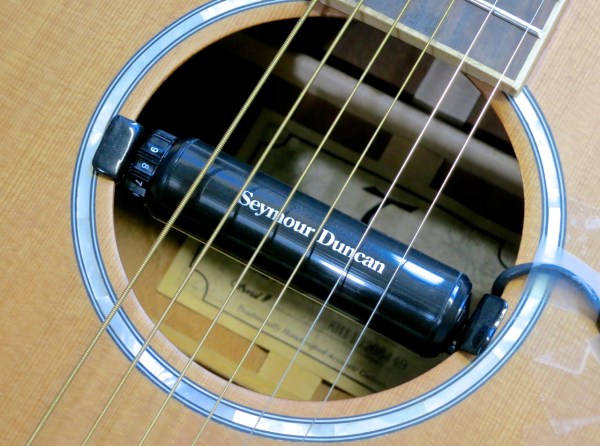
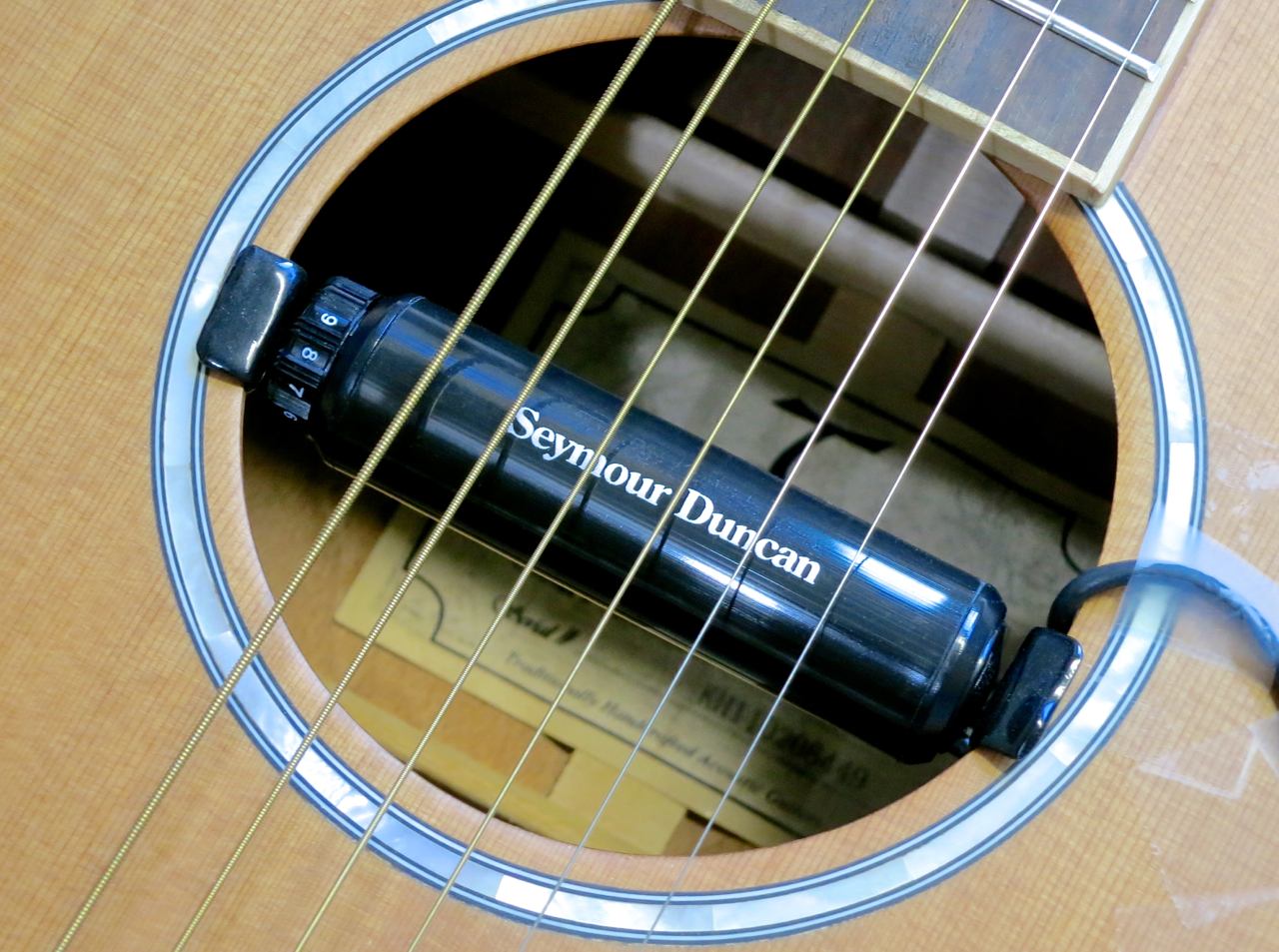
I recently went out and bought myself a Seymour Duncan SA-1 Acoustic Tube pickup, because I needed an easy-to-use pickup solution for acoustic live gigs. Strangely, there’s not that much information on this pickup available on the Internet, which is why I decided to give you a short decription of the SA-1:

The SA-1 is a stacked humbucker pickup featuring a built-in volume control.

I like the fact that Duncan’s Acoustic Tube comes with only a short pickup lead that ends in a high-quality phone jack. You can tape the jack to your guitar strap and then run a normal guitar cable from the SA-1 to your DI Box, mixing console or acoustic amplifier.

The best thing about this soundhole pickup is its sound, though, which is very natural and offers plenty of sparkle – especially considering that the SA-1 is a relatively affordable, purely magnetic pickup.

Seymour Duncan products are distributed in Finland by Musamaailma.

SA1-xlarge

Review: Zoom H6

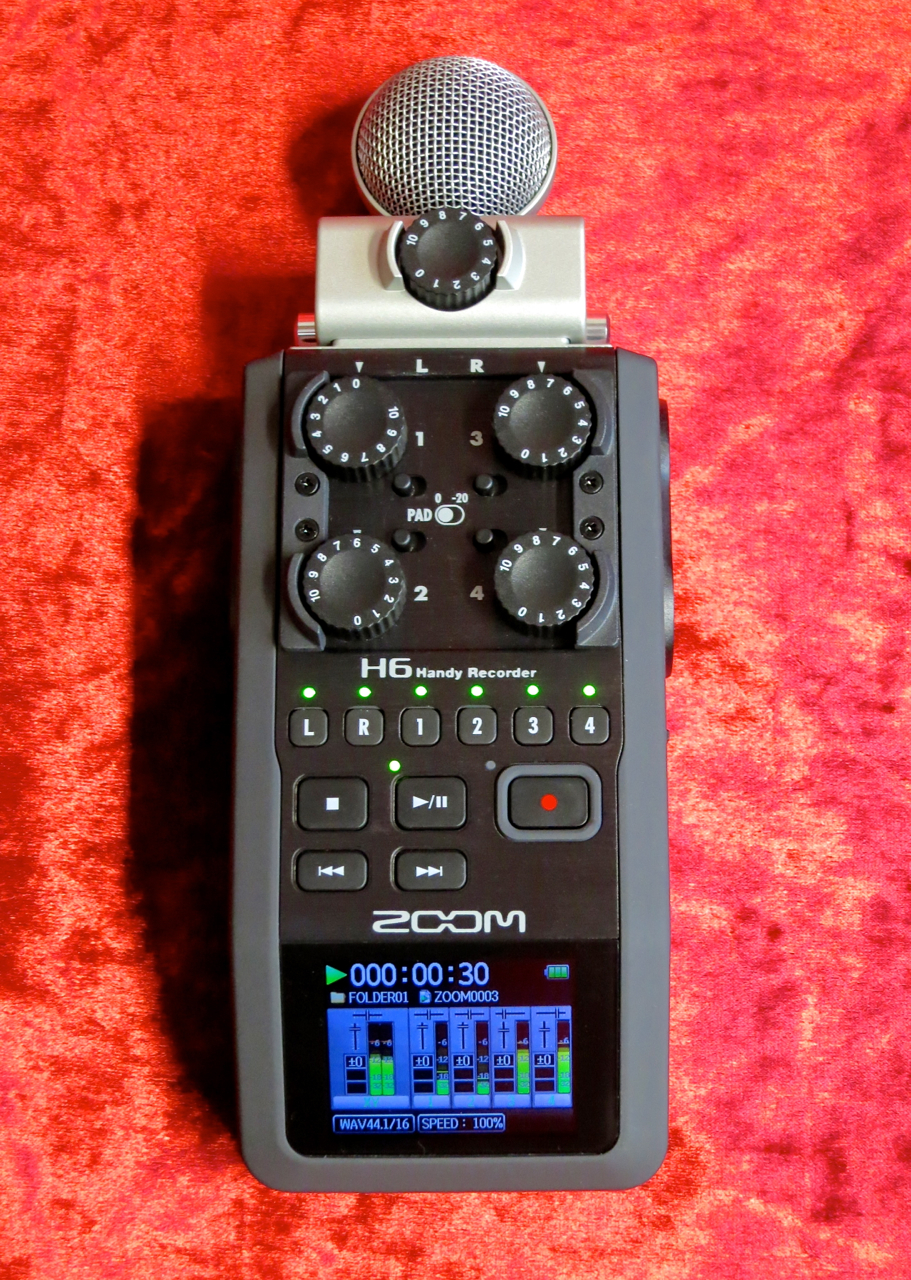
Zoom H6 – perspective 1

Zoom have released their new handy recorder flagship:

The Zoom H6 is a six-track mobile recorder with exchangeable microphone modules.

****

Zoom H6 – package and case

Zoom’s H6 (rrp in Finland: 398 €) comes in its own carrying case.

Zoom H6 – the set

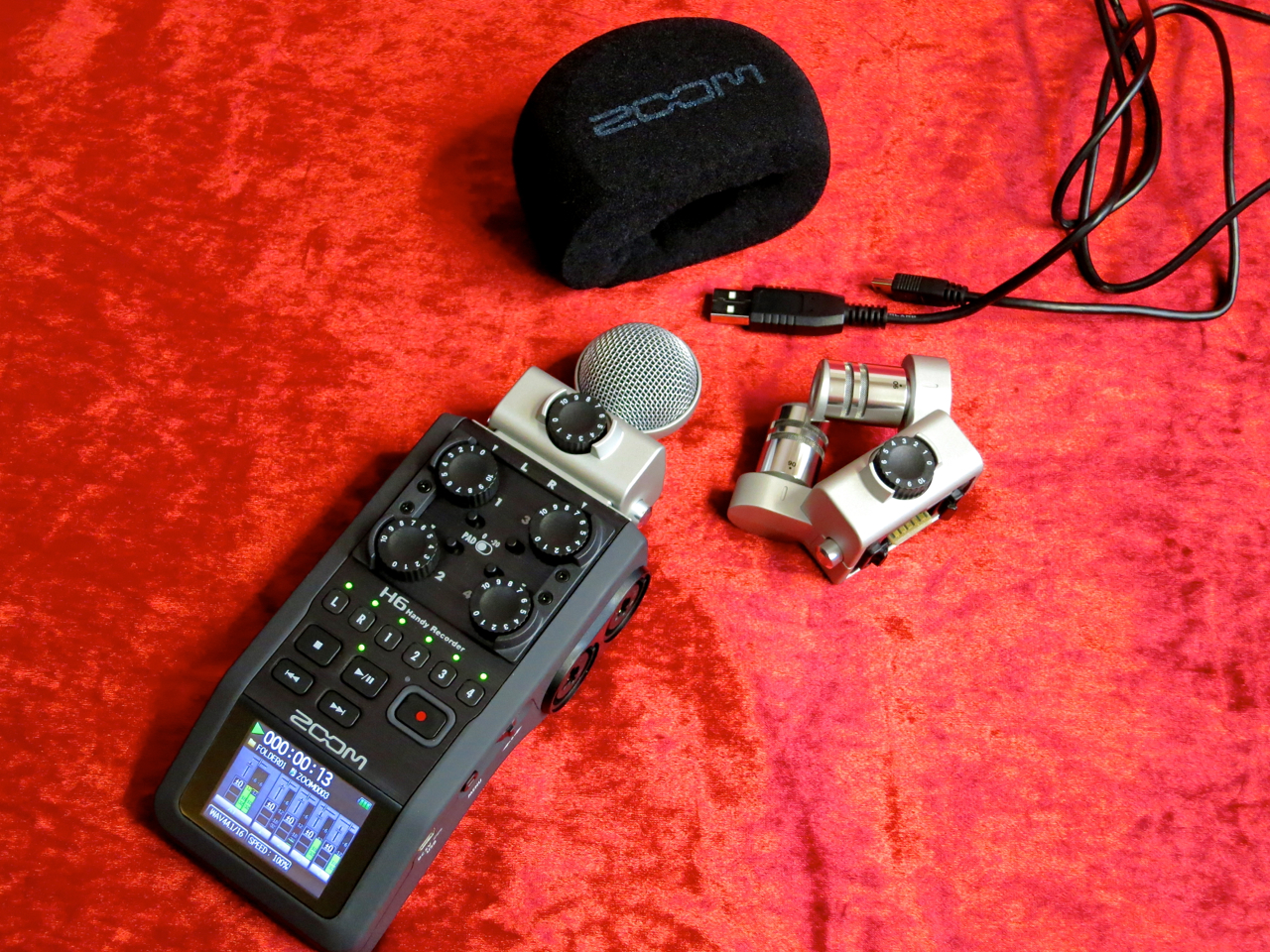
The package includes the H6 itself, two mic modules – the XYH-6 offering XY-stereo and the MSH-6 with an MS-stereo capsule – a foam windscreen, a USB-cable, four AA-size batteries and a 2 GB SD-card.

Also included is Steinberg’s Cubase LE audio-sequencer software.

h6n

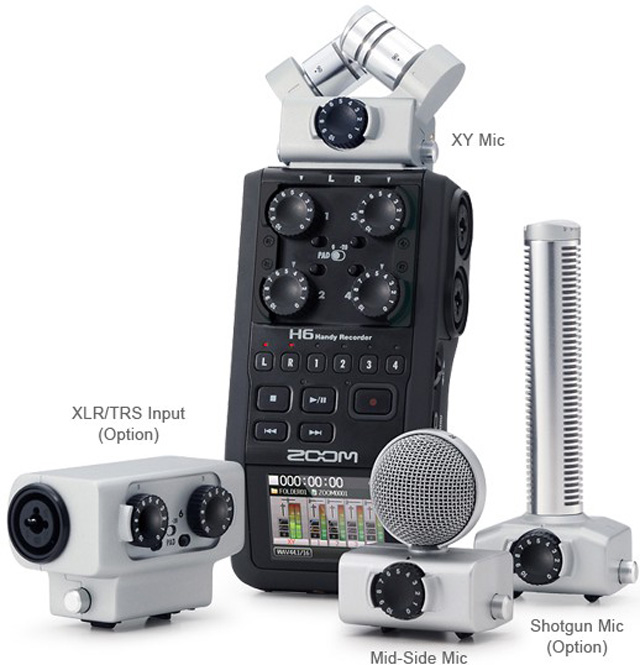
At the moment the H6 is the only field recorder offering you different exchangeable mic and preamp modules.

In addition to the supplied XY- and MS-modules you can also buy Zoom’s shotgun module (SGH-6) or a module with an additional pair of XLR-/TRS-inputs (EXH-6).

Zoom H6 – accessory pack

For this review we were also supplied with Zoom’s accessory pack for the H6 (APH-6), which contains a furry windshield for outdoor recording, as well a USB-power supply and a remote control.

****

Zoom H6 – XY-module

Except for its control panel the Zoom H6 is entirely covered in a non-slip rubbery coating, which also cuts down on handling noise during recording.

Zoom H6 – XY 90 deg

A typical Zoom-feature has been carried over into the recorder’s XY-module:

You can switch the stereo width of the XY-setup by turning the capsules. The options are the slightly narrower 90 degrees angle…

Zoom H6 – XY 120 deg

…and the wider pickup pattern of 120 degrees.

Zoom H6 – left side view

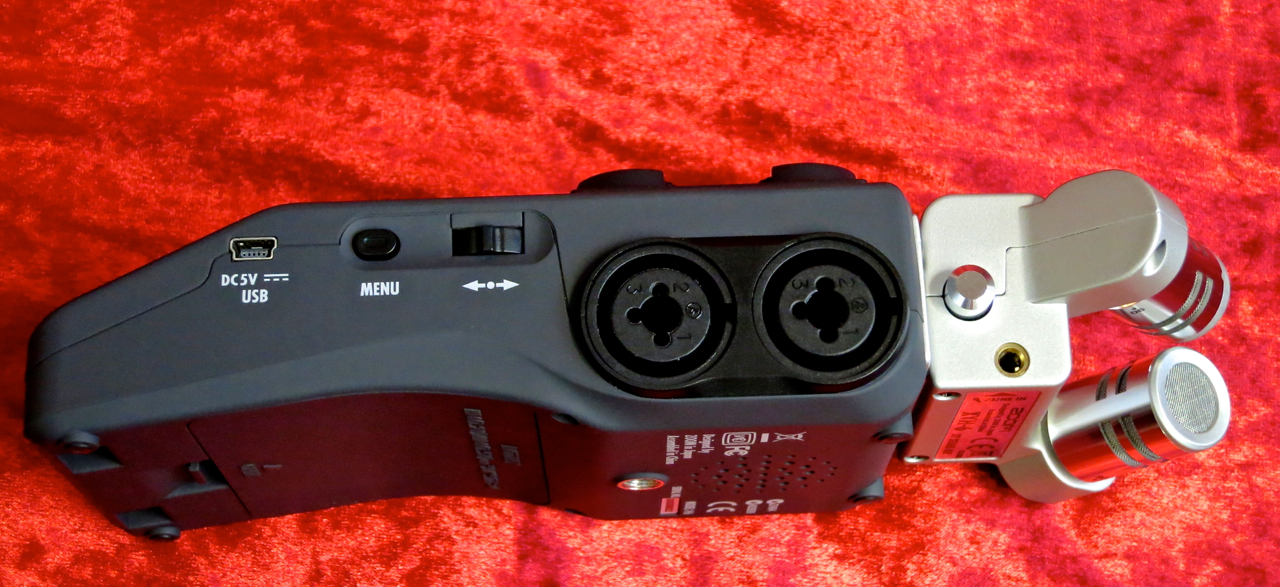
The combined XLR/TRS-connectors have been placed on both sides of the H6. The Zoom offers switchable phantom power for condenser mics.

On the left side you’ll find the access to the SD-card, as well as the headphones output and the volume control.

Zoom H6 – right side view

In addition to the recorder’s mini-USB-port the right side is home to the Menu-button and the device’s nifty navigation toggle.

Zoom H6 – back view

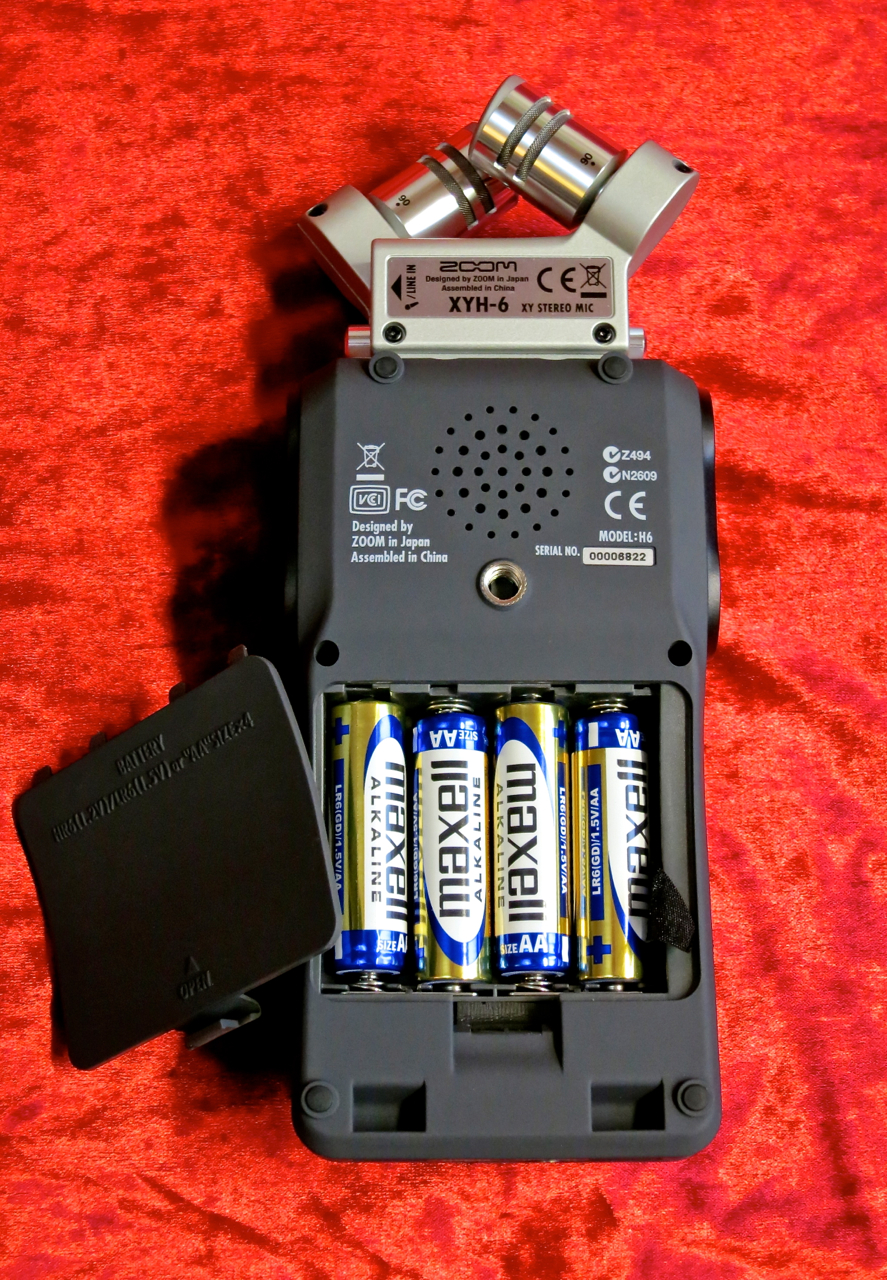
This recorder runs on four AA-size batteries, and will run for approximately 20 hours on a fresh set of alkalines.

You can place the Zoom on most camera tripods, thanks to its standardised thread. There’s also the HS-1 hot shoe adapter available, which makes it possible to mount the recorder straight onto a camera.

The small monitor speaker isn’t particularly Hi-Fi, but it’s good to have it for quick checks.

Zoom H6 – line + remote

The unit’s line level output, as well as the connector for the optional remote control, has been placed on the bottom rim of the Zoom.

****

The Zoom H6 can handle two audio formats:

Linear WAV-files offer you sample rates of 44.1, 48 or 96 kHz with 16 or 24 bits of resolution. When you choose WAV as your recording format the H6 works as a multitrack recorder, which makes it possible to do overdubs, and which allows you to mix the recorded tracks afterwards. You can do your mixdown internally, using the Zoom’s own Project Mixer, or by exporting the separate tracks to an audio-sequencer.

Another function that only works when you’ve chosen WAV as your recording format is called Backup Record. This nifty function records the input signal from the exchangeable module twice – one set of tracks uses your input gain settings and is routed to the L/R-track, as usual, while the second set is recorded with 12 dB of attenuation as the so-called Backup-track. The Backup-track is your safety in case your own settings were too hot.

The big advantage of using the H6 in MP3-mode is, of course, this mode’s greatly extended recording time, made possible by data reduction. The recorder lets you choose from many different recording quality settings between 48 and 320 kbps. When in MP3-mode you use the Zoom’s Monitor Mixer to mix all of the six inputs into one stereo file, which is the recorded. This means that, when recording using the MP3-format, the end result is always a single stereo file, instead of the separate tracks you get when running in WAV-mode.

Zoom H6 – MS-module

When you’re using the MS-module you can adjust the side-mic level, either before recording (WAV and MP3) or afterwards if you’ve recorded the module’s input signal using the Zoom’s MS-Raw-mode (WAV only).

More information on MS-stereo can be found HERE.

****

Zoom H6 – level knobs

The Zoom H6 is very easy to use, because the signal routing is fixed:

The module’s output always goes to the L/R-track (stereo), while inputs one to four are routed to their corresponding mono tracks (1-4).

Zoom H6 – display

Beneath the Gain-controls there’s a row of track status buttons, as well as the recorder’s ”transport” buttons.

Zoom H6 – monitor mixer

The Zoom’s Monitor Mixer is where you adjust the signal levels and pan positions of all the signals for monitoring.

The Monitor Mixer window also shows you the status of each channel’s bass cut, compressor/limiter and phantom power.

Zoom H6 – menu view

This is what the Menu-view looks like.

Zoom H6 – project mixer

To mix down recorded tracks you use a different internal mixer, called the Project Mixer.

The Project Mixer allows you to adjust each track’s volume and pan position, as well as the playback pitch for each track (without changing the playback speed).

****

Zoom H6 – top view

In my opinion Zoom’s H6 hits the bull’s eye:

The exchangeable mic modules give you an enormous amount of flexibility to tailor the recorder quickly to the recording situation you find yourself in. The H6 is easy to use, and the recorder’s sound quality is very, very good. Thanks to the built-in metronome and chromatic tuner it’s easy to make sure you play in time and in tune. I’ve also enjoyed the Zoom’s nice compressors and limiters, which work very musically.

To demonstrate the H6’s performance and sound I recorded a short song using the recorder’s overdub function. I used the X/Y-module (at 90 deg) to record the steel-string acoustic, and recorded two mandolin tracks and two vocals with my trusty Shure SM57.

First, I mixed the song using the Zoom’s internal mixer, after which I exported the stereo file to Garageband, where I cut off the count-in and added a little bit of reverb:

I also tried taking the other route by exporting all the separate files from the H6 into Garageband, where I remixed the song using the original tracks:

****

I used a series of sine-wave sweeps to give you an idea of the effect the side-mic level has on the stereo-width of the recorded material. The lower the side-mic level is, the narrower your stereo image gets.

Side-mic +6dB:

Side-mic -2 dB:

Side-mic -9 dB:

Side-mic -22 dB:

Side-mic off:

****

Zoom H6 – perspective 2

I think Zoom’s H6 is a great field recorder and portable multi-track studio. The H6 works great to capture your song ideas or to for quality recordings of your band rehearsals or live gigs. The Zoom makes pro-quality recording on the road possible.

****

Zoom H6

Finnish distributor: Studiotec

Zoom H6 – 398 €

APH-6 – 48 €

EXH-6 – 58 €

SGH-6 – 118 €

****

Pros:

+ exchangeable L/R-modules

+ rugged build

+ colour display

+ Overdub-, Pre Record- ja Backup Record -functions

+ quality compressor/limiter-section

****

Testipenkissä: Zoom H6

Zoom H6 – perspective 1

Zoomilla on uusi pikkutallentimien lippulaiva:

Zoom H6 on kuusiraitainen kannettava tallennin, joka tarjoaa vaihtomoduulien kautta erilaisia mikrofoniratkaisuja.

****

Zoom H6 – package and case

Zoom H6 (suositushinta 398 €) myydään omassa kätevässä laukussa.

Zoom H6 – the set

Laukun sisältä löytyy H6:n runko, kaksi mikrofonimoduulia – XY-stereota tarjoava XYH-6 ja MS-stereomikrofoni MSH-6 – vaahtomuovinen tuulisuoja, USB-johto, neljä AA-paristoa, sekä 2 GB:n SD-kortti.

Tämän lisäksi pakettiin kuuluu myös Cubase LE -softasekvensseri.

h6n

H6 on tällä hetkellä ainoa kämmenkokoinen tallennin, joka tarjoaa mahdollisuuden vaihtaa tallentimen mikrofonivarustusta erilaisilla moduuleilla.

Lisävarusteena voi ostaa itselleen XY- ja MS-moduulien lisäksi Zoomiin sopiva haulikkomikki (SGH-6) tai sitten kaksi XLR/TRS-lisätuloja tarjoavaa vaihtoehtoa (EXH-6).

Zoom H6 – accessory pack

Testiin saatiin myös Zoomin kätevä lisävarustepaketti (APH-6), josta löytyy karvainen tuulisuoja ulkotyöskentelyä varten, sekä H6:lle sopiva USB-virtalähde ja langallinen kauko-ohjain.

****

Zoom H6 – XY-module

Zoom H6:n metallista etupaneelia lukuun ottamatta laitteen runkoa on päällystetty käsittelyääniä vaimentavalla kumimaisella kuorella.

Zoom H6 – XY 90 deg

Yksi Zoom-tallentimille tyypillisistä ominaisuuksista löytyy myös XY-moduulista:

Mikrofonikapseleiden kulmaa voi säätää kääntämällä. Vaihtoehtoina tarjotaan hieman kapeampaa 90:n asteen kulmaa…

Zoom H6 – XY 120 deg

…sekä leveämpi 120:n asteen asentoa.

Zoom H6 – left side view

H6:n XLR/TRS-kombiliitimet on sijoitettu kätevästi laitteen molempiin kylkiin. Tuloista voi lähettää tarvittaessa phantom-virtaa kondensaattorimikrofoneja varten.

Vasen kylki tarjoaa tulojen lisäksi muistikorttipaikan, kuulokelähdön, sekä volumesäätimen.

Zoom H6 – right side view

Oikeasta kyljestä taas löytyy minikokoisen USB-portin lisäksi vielä Zoomin Menu-nappi ja H6:n sulavasti toimiva navigointivipu.

Zoom H6 – back view

Laitteen pohjaan on upotettu sen paristolokero neljälle AA-kokoisille paristoille. Alkaliparistoilla H6 toimii noin 20 tuntia.

Standardisoidun kierteensä ansiosta Zoomin voi kiinnittää suoraan tavalliseen kamerajalustaan, tai HS-1-kamera-adapterilla myös suoraan kameran salamakiinnikkeeseen.

Zoom H6:lla on myös pieni sisäinen monitorikaiutin.

Zoom H6 – line + remote

Zoomin linjalähtö, sekä H6:n liitin kauko-ohjaimelle on sijoitettu tallentimen etureunaan.

****

Zoom H6 käyttää kahta audioformaattia:

Lineaariset WAV-tiedostot tarjoavat 44,1:n, 48:n tai 96:n kilohertsin näytetaajuudet 16- tai 24-bittisinä. Kun WAV on valittu äänitysformaatiksi, tallennin toimii moniraiturina, jolloin jälkiäänittäminen (engl. overdubbing) ja raitojen miksaaminen äänityksen jälkeen – joko H6:n omalla mikserillä (Project Mixer) tai audiosekvensserillä – on mahdollinen.

Myös Zoomin mainiota Backup Record -toimintoa varten formaatiksi täytyy valita WAV-vaihtoehto. Backup Record äänittää vaihtomoduulin signaalin samanaikaisesti sekä normaalina tallennuksena L/R-stereoraidalle että varmuuden vuoksi 12 desibeliä hiljaisempana ns. BU-raidalle. Jos on esimerkiksi live-tilanteessa tullut laitettua mikkimoduulin gain-asetuksia vahingossa liian isoksi, on Backupin ansiosta kuitenkin hyvin todennäköistä, että L/R-raidasta löytyy myös särötön versio.

MP3-tilan suuri etu on luonnollisesti, että datakompressoitu tiedostomuoto antaa roimasti enemmän tallennusaikaa. Zoomissa voi valita mp3-laadun 48:n ja 320:n kbps välillä. Kun mp3-on valittu äänitysformaatiksi H6:n kaikki tulosignaalit miksataan kuuntelumikserillä (engl. monitor mixer) yhdeksi valmiiksi stereotiedostoksi. MP3-tilan äänityksessä syntyy siis aina vain yksi valmis stereotiedosto, eikä WAV-tilan tavoin erillisiä raitoja.

Zoom H6 – MS-module

Tallentimen MS-moduulilla äänittäessä voi säätää stereokuvan laajuutta säätämällä sivumikrofonin (side-mic) signaalitasoa, joko ennen äänitystä (WAV ja mp3) tai ns. MS-Raw-moodissa (vain WAV) vasta miksausvaiheessa.

Lisää tietoa MS-stereosta saa TÄSTÄ.

****

Zoom H6 – level knobs

Zoomin H6 on helppoa käyttää, sillä tallentimen signaalireititys on kiinteä:

Moduulin signaali menee L/R-stereoraidalle, kun taas muiden tulojen (1-4) signaalit äänitetään niille kuuluville monoraidoille (1-4).

Zoom H6 – display

Gain-säätimien alapuolella sijaitsevat raitojen tilanapit, sekä tallentimen isokokoiset näppäimet ”nauhakuljetusta” varten.

Zoom H6 – monitor mixer

Äänitysvaiheessa käytössä on Zoomin Monitor Mixer, jossa säädetään kuuntelutasoa ja -panorointia.

Kuuntelumikserissä voi myös nähdä, ovatko tulojen bassoleikkurit, kompressorit ja phantom-syötöt päällä vai pois.

Zoom H6 – menu view

Tällainen on H6:n selkeä Menu-näkymä.

Zoom H6 – project mixer

Valmiin materiaalin miksausta varten tallentimella on oma mikseri nimellä Project Mixer.

Tarjolla on raitojen tason säätö ja panorointi, ja sen lisäksi jokaisen raidan reaaliaikainen transponointi (toistonopeus pysyy muuttumattomana).

****

Zoom H6 – top view

Mielestäni Zoom H6 on täysosuma:

Vaihtomoduulien käyttö on nerokas tapa laajentaa tallentimen käyttökohteita. H6 on helppo käyttää, ja sen tarjoama äänenlaatu on hyvin kiitettävällä tasolla. Sisäisen metronomin ja viritysmittarin ansiosta äänitys pysyy myös taimissa ja vireessä. Erityiskiitos kuuluu Zoom H6:n monipuolisille ja laadukkaille kompressori- ja limitteri-efekteille, jotka toimivat erittäin musikaalisella tavalla.

Äänitin kokeiluksi yhden akustisen demobiisin päällesoittoja käyttäen. Teräskielistä akustista kitaraa poimin talteen Zoomin XY-moduulilla (90 asteen kulma), minkä jälkeen äänitin kaksi lauluosuutta ja kaksi mandoliiniraitaa dynaamisella Shure SM57 -mikrofonilla.

Miksasin biisin ensin H6:n omalla mikserillä, minkä jälkeen vein stereomiksauksen Garagebandiin, jossa poistin sisäänlaskun ja lisäsin hieman yleiskaikua:

Tämän jälkeen vein biisin yksittäiset raidat Garagebandiin, ja miksasin biisiä uudelleen sekvensserillä:

****

Käytin sarjan siniaalto-sweepejä MS-moduulin sivumikrofonin asetuksien havainnollistamiseen. Mitä pienempi sivumikin taso on, sitä kapeammaksi stereokuva muuttuu.

Side-mic +6dB:

Side-mic -2 dB:

Side-mic -9 dB:

Side-mic -22 dB:

Side-mic off:

****

Zoom H6 – perspective 2

Zoom H6 on mielestäni loistava taskustudio, joka toimii yhtä hyvin biisintekovälineenä kuin myös mainiona keikka- tai harjoitustallentimena. Se on erittäin onnistunut paketti paljon liikkuvalle muusikoille, jolla voi syntyä helposti jopa julkaisukelpoista materiaalia.

****

Zoom H6

Maahantuoja: Studiotec

Zoom H6 – 398 €

APH-6 – 48 €

EXH-6 – 58 €

SGH-6 – 118 €

****

Plussat:

+ vaihdettavat moduulit

+ vankkaa tekoa

+ värinäyttö

+ Overdub-, Pre Record- ja Backup Record -toiminnot

+ laadukkat kompressorit/limitterit

****

Pidä blogia WordPress.comissa.

Ylös ↑